
The Question
Some side projects start with a grand vision. This one started with a question: can I make Tetris playable with just my hands? Experimenting with MediaPipe in the browser showed how much signal you can pull from a webcam feed in real time. Finger positions, pinch detection, hand orientation. Most demos stop at drawing a skeleton overlay. This one takes that signal somewhere useful. Tetris felt like the right game. The controls map cleanly to gestures (move left, move right, rotate, drop), but the game is demanding enough that any lag or imprecision becomes immediately frustrating. Making gesture-controlled Tetris feel good, not just functional, would actually solve something.The Design
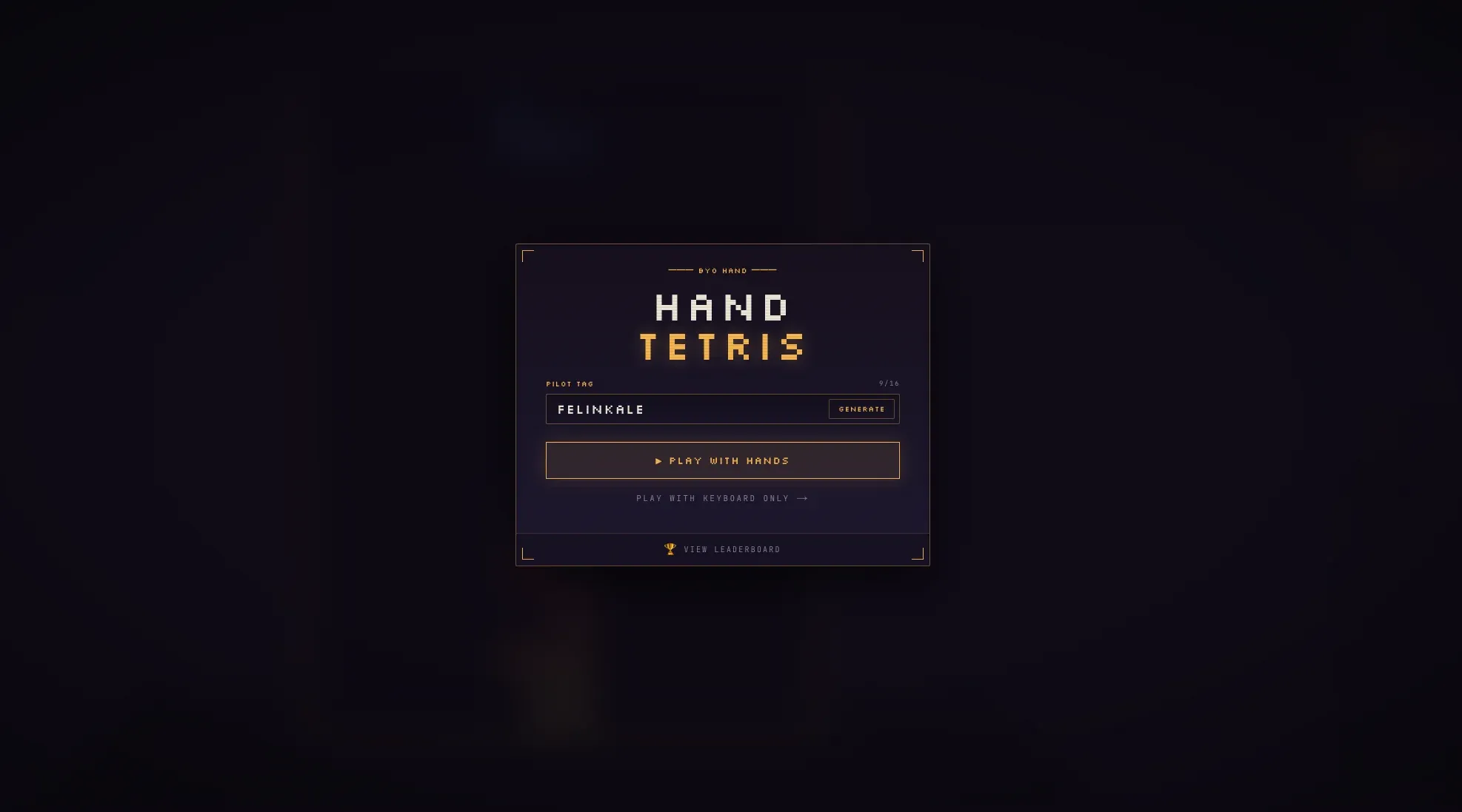
Retro arcade, not a browser tab. The visual language commits to that: deep purple-black backgrounds (#0e0a14), a warm gold accent (#f5b651), pixel-perfect typography using Silkscreen for headings and JetBrains Mono for data readouts. The UI is intentionally dense. Score, level, lines cleared, and the next-piece queue are all visible at once. Arcade games do not hide information from you. They throw it in your face and let you build the mental model. 3D for a 2D game, and not for novelty. Classic Tetris is flat: blocks fall, rows clear, game ends. The playfield renders in 3D anyway because the hand tracking needs something to work with visually. When you steer a falling piece with your physical hand in real space, a flat grid feels disconnected. A camera angled down into a 3D well, with depth, shadows, and a subtle floor, makes the mapping feel grounded. Your hand is in 3D space. The game should look like it is too. React Three Fiber with instanced meshes keeps the renderer performant even as locked blocks pile up. Each piece type has its own colour. A ghost piece renders as a wireframe at the projected landing position so you always know where the piece will land. The crown jewel of the 3D work is line-clear physics. When you clear a row, the cells do not just disappear. Each cleared block explodes outward as a tumbling shard, with random lateral velocity, an upward pop, then gravity pulls it down while it spins on all three axes. It lasts 750ms and makes clearing lines feel visceral.The Gesture System
Designing the gesture system was the hardest problem in the project. Hand tracking gives you a stream of raw coordinates: 21 landmarks per hand, updated 30 times per second. The naive approach maps X position directly to piece column, and the result is unplayable. The piece thrashes left and right as your hand naturally wobbles. The fix was a layered approach: Smoothing. The raw X coordinate gets exponential smoothing (alpha=0.35) before anything else. This removes high-frequency jitter without adding noticeable lag. Hysteresis. Column changes only register after the hand has moved 0.65 units from the current column centre. Small wobbles do not trigger movement. You have to mean it. Pinch to rotate. Closing your thumb and index finger rotates the piece. Reliable detection needed more than measuring distance: the thumb-index gap is normalised against the full hand size so it works at any camera distance, and the middle, ring, and pinky fingers must be extended. A closed fist does not rotate. An intentional pinch does. Post-pinch freeze. After rotating, movement freezes for 200ms. Without this, the act of pinching would shift the hand slightly and drift the piece, a phantom bug that was not a bug. Drop zone. When your hand drops below 70% of the frame height, the piece enters fast-fall at a 50ms drop interval. No gesture needed. Just lower your hand. Together these made gesture control feel controllable. Not perfect. You are still fighting the physics of your own hand, but that friction turned out to be part of the fun.The Build
Architecture. The game logic stays strictly separated from everything else. The engine is a set of pure functions: no React, no rendering, no IO. It takes a game state and an action and returns a new state, which makes it easy to test, debug, and reason about independently from the chaos of hand tracking and 3D rendering. On top of that:- useGameController bridges inputs (gesture or keyboard) to the engine. It reads the gesture state, computes column targets, detects pinch rising edges, and dispatches moves on a timer.
- Playfield3D owns all Three.js rendering. It reads game state and updates instanced mesh positions, never touching game logic.
- VisionFeed handles the camera, runs MediaPipe, and draws the hand skeleton overlay on a canvas.
- The leaderboard lives in its own module and talks to Supabase through RPC functions.
- Rotate: a rising square-wave chirp (520 to 880Hz, 70ms)
- Lock: a two-layer thunk (low square + higher triangle)
- Line clear: a four-note arpeggio (C, E, G, C)
- Game over: a descending minor melody
- Player registers a name once. The server validates it (charset, length, profanity check), then issues a 32-character hex token stored in localStorage.
- Every score submission requires that token. The server re-validates it before writing.
- Score plausibility is checked against a formula: (lines + 4) x 800 x level. Scores outside that range are rejected.
- Play time is validated. Submissions require at least 600ms per cleared line. Instant-play injection gets rejected.
- A 10-second rate limit prevents score flooding.
The Hard Problems
Making imprecise input feel intentional. The gesture system went through five or six iterations before it stopped feeling broken. The breakthrough was accepting that hand tracking would never be pixel-perfect and designing around it. Larger dead zones, hysteresis, post-rotation freezes. The goal was not precision. It was a feeling of control. Static deployment with a live backend. The game is a fully static Next.js export hosted on GitHub Pages, with no server, but it has a real leaderboard. All the server logic lives in Supabase's RPC layer. The client is dumb. The database enforces everything. Line-clear physics at 60fps. Running physics for 12 shards per cleared row, across potentially 4 rows at once, while holding 60fps in Three.js needed instanced meshes and careful animation-loop management. The shards share geometry. Only transforms update per frame.Platform Evolution
Lessons
- Design the input before the interface I nearly built the full UI before realising the gesture system was broken. Fix the input first. Everything else follows.
- Imprecision is a constraint, not a failure Hand tracking will never be pixel-perfect. The job was designing around that with dead zones and hysteresis, not fighting it.
- Friction can be the feature Steering a piece with your physical hand turned out to be part of the fun. Not every interaction needs to be frictionless.
- Anti-cheat is design, not just engineering A public leaderboard without trust is useless. The validation layer exists so the scores mean something.
FAQ
Yes. Keyboard controls are fully supported: arrow keys to move and rotate, spacebar to drop. The gesture system is the primary experience but the keyboard fallback is first-class, not an afterthought.
Any modern Chromium-based browser works best. Firefox supports MediaPipe but has slightly lower hand tracking performance. Safari on iOS does not support WebRTC in the way MediaPipe requires, so mobile is keyboard-only.
MediaPipe runs on a separate canvas thread and targets 30fps for landmark detection. The game itself renders at 60fps via Three.js. The two loops are intentionally decoupled so a slow camera frame does not stutter the game.
Determined enough, anyone can bypass it. The goal was not an impenetrable system. It was making casual abuse harder than it is worth. Token validation, plausibility math, and rate limiting stop the obvious attacks. The leaderboard is for fun, not for money, so that bar is the right one.
The leaderboard runs on Supabase with RPC functions doing all the validation server-side. If you fork the repo, you would need to create your own Supabase project, run the migration SQL, and update the environment variables. The game works completely without a leaderboard if you skip that setup.
The gesture system is the reason. Your hand moves in real 3D space. A flat grid feels disconnected from that. A playfield with depth, a camera angle, and physical shards when rows clear makes the hand-to-game mapping feel grounded in the same space your hand is in.